
How to Delete Your Account
You can delete your account and all of its data at any time from the Android, iPhone, iPad or web app. The process is the same for patients and caregivers.
-
1
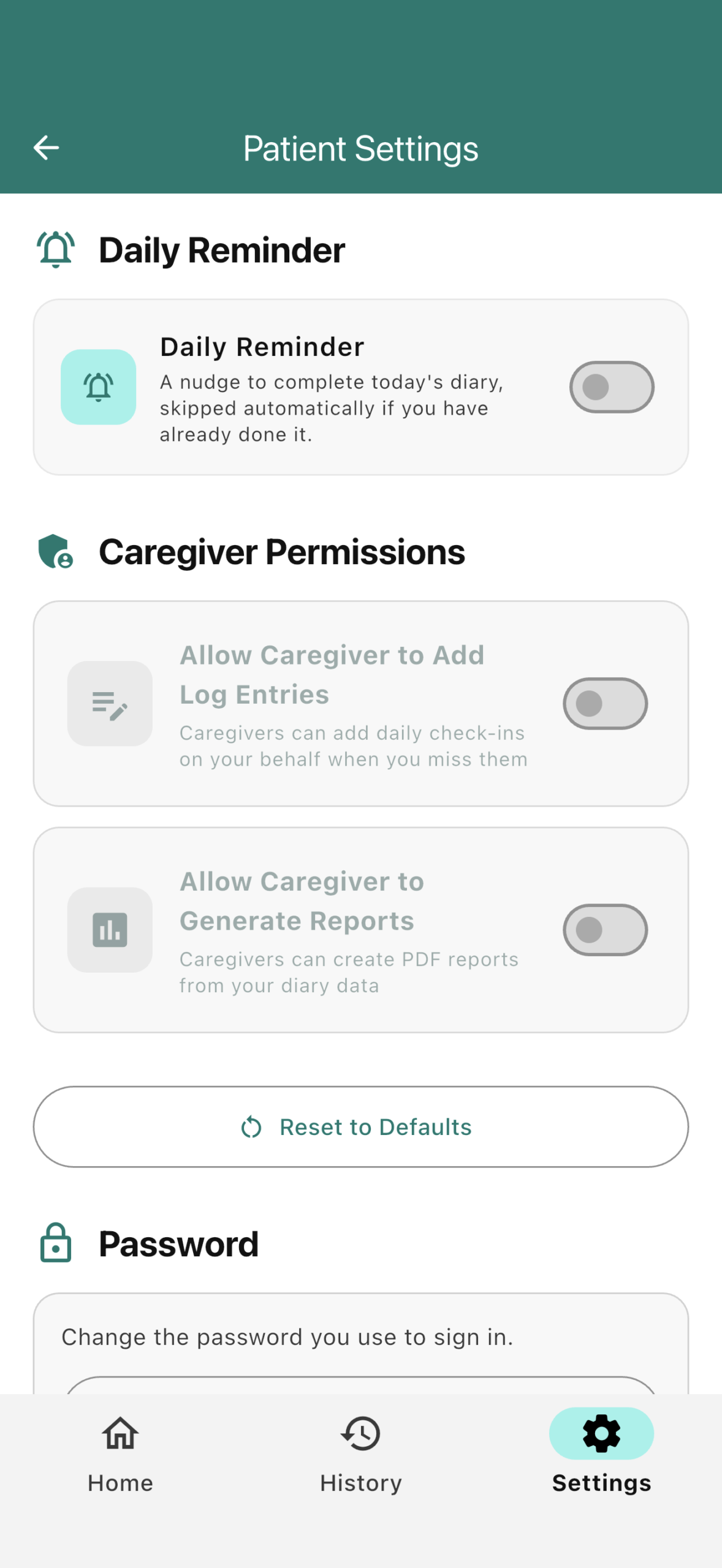
Open Settings
Sign in to Parkinson’s Daily Diary and tap Settings in the bottom bar.
On the web app, use the Settings gear button at the top of your dashboard.
-
2
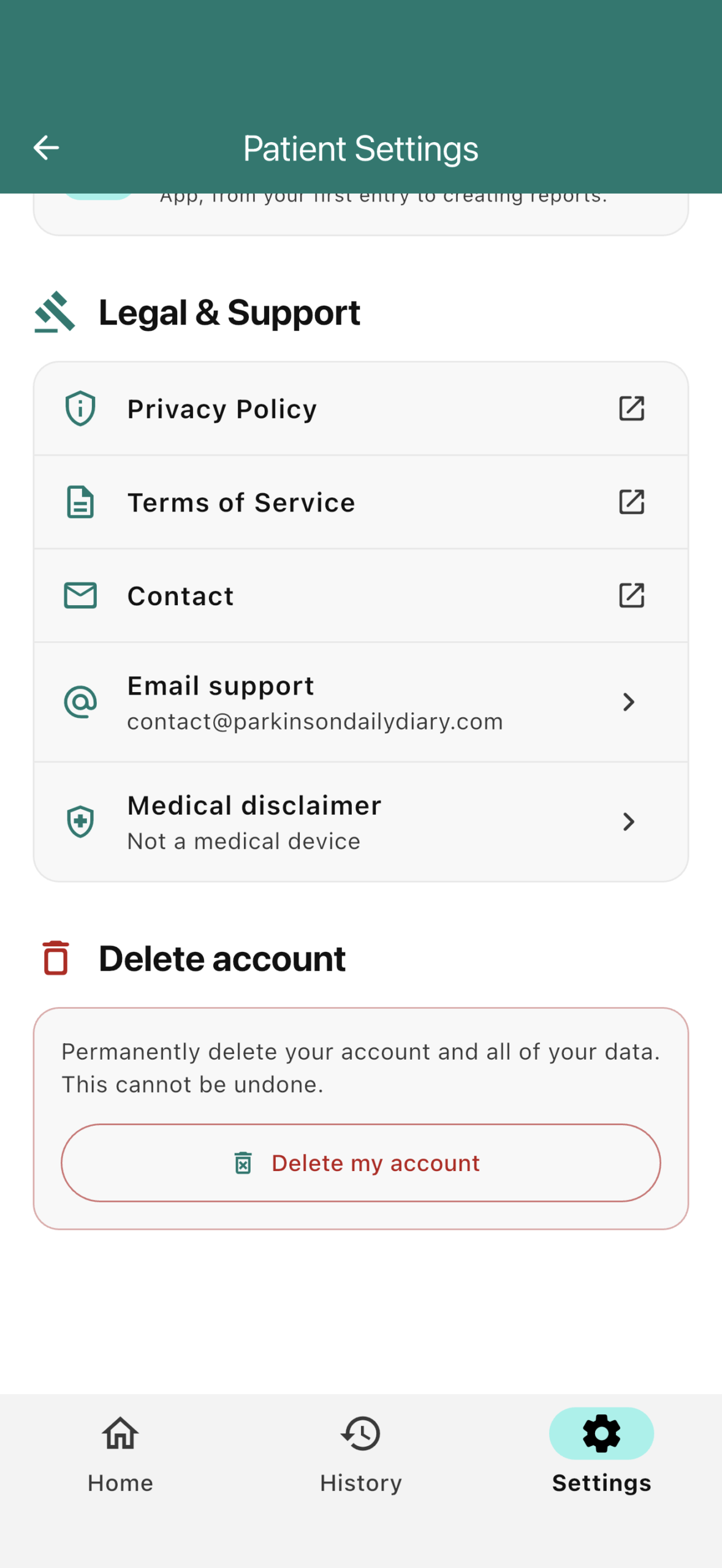
Tap “Delete My Account”
Scroll to the bottom of the Settings page.
Under Delete account, tap Delete my account.
-
3
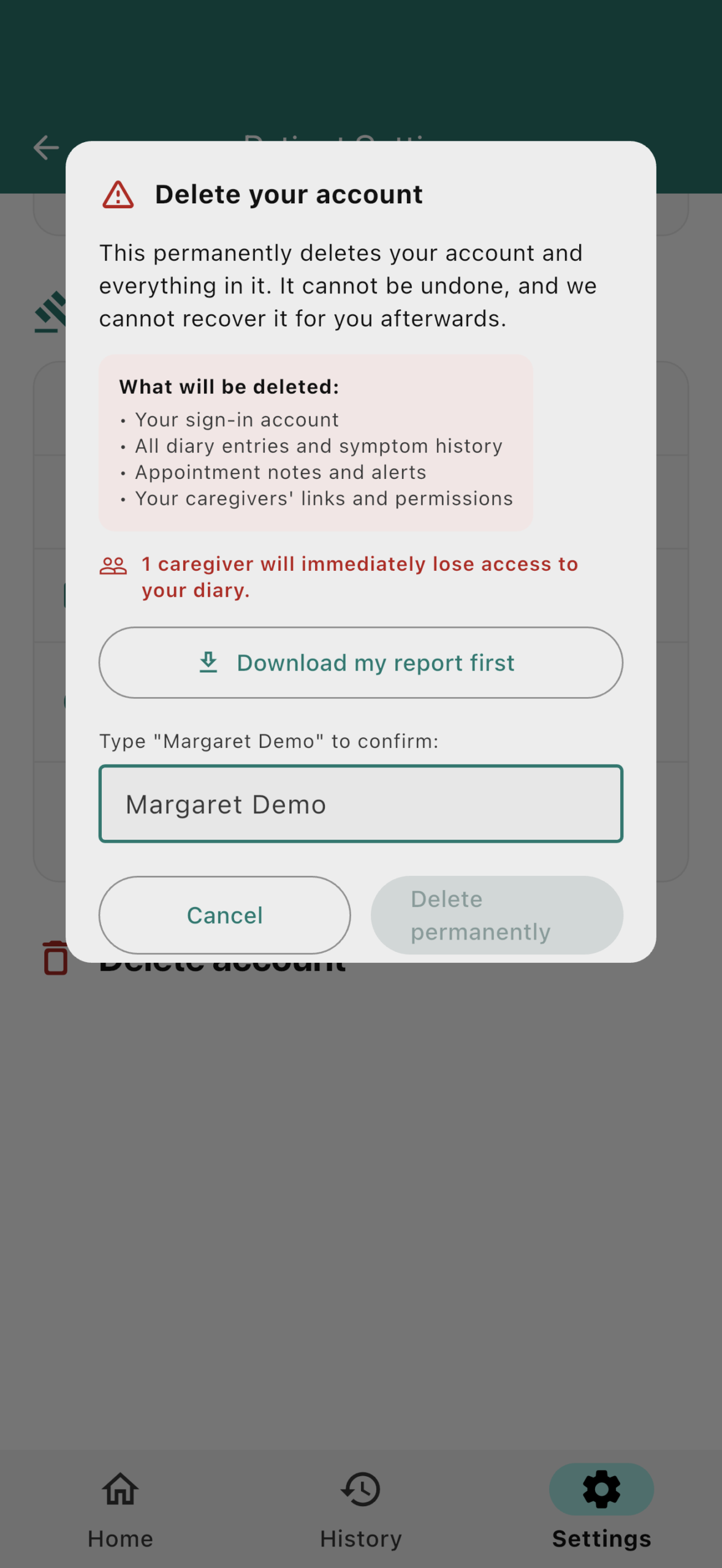
Check What Will Be Deleted
The app lists the information that will be removed and tells you if a caregiver will lose access.
To keep a copy of your diary, tap Download my report first before continuing.
-
4
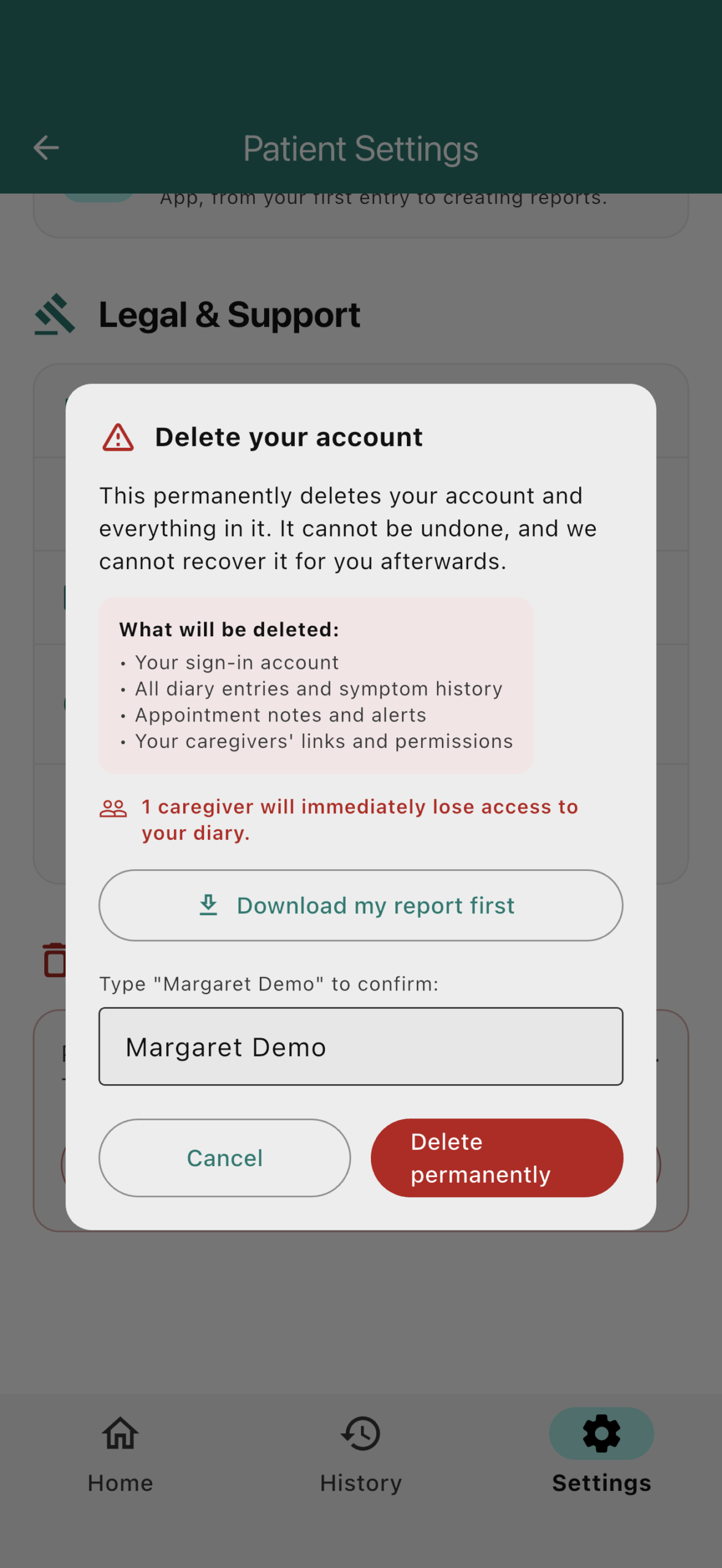
Type Your Name and Confirm
Type your name exactly as shown, then tap Delete permanently.
Your account will be deleted immediately. On iPhone, if you signed in with Apple, Apple may ask you to confirm once more.
Can’t Sign In?
Email contact@parkinsondailydiary.com from the email address connected to your account.
Use the subject “Delete my account”. We will confirm the request and delete the account within 30 days.
What Is Deleted?
- Your sign-in account and profile
- All diary entries and symptom history
- Appointment notes
- Caregiver links and permissions; linked caregivers lose access immediately
- Alerts, notifications, invitations and reminder settings
What May Be Kept?
Limited security and audit records may be retained for as long as reasonably necessary. For example, we may retain a record showing that an account was deleted and when the deletion occurred.
Identifying details are removed or anonymised when they are no longer needed. We do not currently keep backups of the production database.
Deletion is permanent and cannot be undone. Deleting the app from your phone does not delete your account.