

Written by Dr. Akbar Zaib, PhD in Neurosciences
A Parkinson’s symptom report can help your doctor understand what happens between appointments — not only how you feel during the consultation. Symptoms, medication response, ON and OFF periods, sleep, pain, fatigue, and mobility can change from one day to another. Trying to remember everything during a short appointment can be difficult, especially when several problems need attention.
A clear report turns your daily observations into useful information your doctor can review quickly. It can show which symptoms are changing, when medication appears to work well, and which concerns should be discussed first. In this guide, you will learn what to include in a Parkinson’s symptom report, how to organize it, and how to make it genuinely useful for your next appointment.

A medical appointment offers only a brief view of how you are doing. You may appear to move well during the consultation even though you regularly experience stiffness, tremor, freezing, fatigue, pain, or OFF periods at home. Your medication may also be working during the appointment, making certain difficulties less visible.
A Parkinson’s symptom report gives your doctor a clearer picture of your daily experience over several days or weeks. Instead of relying only on memory, you can provide recorded information about:
- Symptoms that are becoming more frequent or severe
- Times when medication works well or wears off
- Changes in movement, sleep, mood, pain, or energy
- Difficulties affecting daily activities
- Side effects or unusual reactions
- Questions you want to discuss
This information may help your doctor identify patterns and decide whether further assessment is needed. It can also help you use the limited appointment time more effectively.
Key takeaway: The report should support the conversation — not replace it. Your doctor will still consider your medical history, examination, medications, and other clinical information before recommending any changes.
What to include in a Parkinson’s symptom report
A useful report does not need to record every detail of your day. Focus on information that helps your doctor understand how your symptoms change and how they affect daily life.
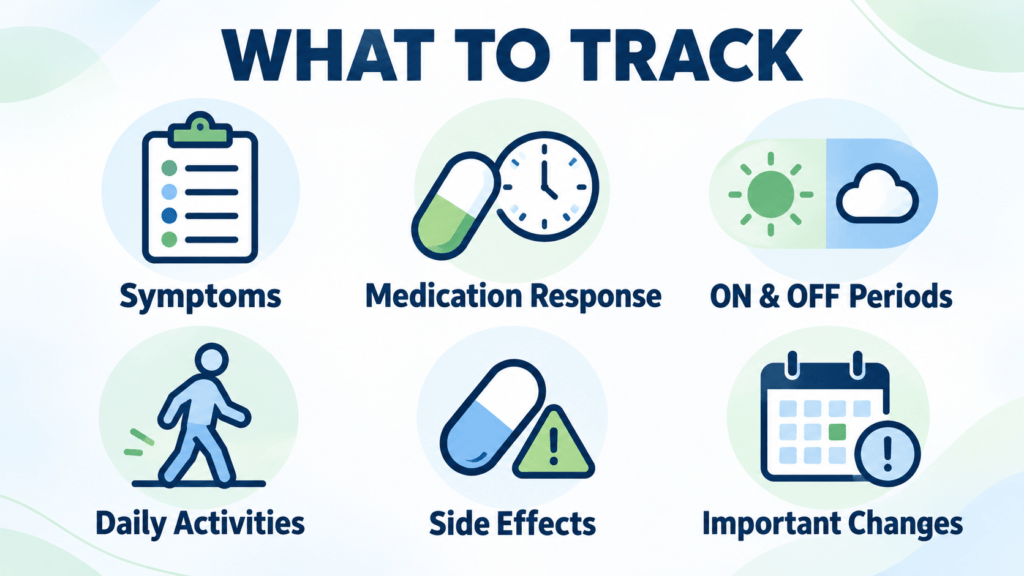
Consider including the following:
Main symptoms
Record changes in tremor, stiffness, slowness, balance, walking, freezing, speech, swallowing, pain, fatigue, sleep, mood, or concentration. Note whether each symptom is mild, moderate, or severe.
Medication timing and response
Write down when you take your Parkinson’s medication and when you begin to notice its effects. Record whether it improves your symptoms, how long the benefit lasts, and whether you experience side effects.
ON and OFF periods
Note when you feel that your medication is working well and when symptoms return or become more difficult. Approximate times are usually more useful than general statements such as “I have many OFF periods.”
Effect on daily activities
Explain how symptoms affect practical tasks such as getting dressed, eating, walking, working, sleeping, or leaving the house. This gives your doctor more context than symptom scores alone.
Important changes or unusual events
Include falls, near-falls, sudden confusion, hallucinations, swallowing problems, severe dizziness, or other noticeable changes. Contact your healthcare team promptly about urgent or concerning symptoms rather than waiting for the next routine appointment.
Key takeaway: Focus on symptoms, medication response, ON and OFF periods, and their effect on daily life. Record meaningful patterns rather than trying to document every small detail.
Track symptoms long enough to identify patterns
A single difficult day may not show your usual experience. Whenever possible, record your symptoms for at least one or two weeks before creating a report. If your symptoms vary considerably, a longer tracking period may provide a more accurate picture.
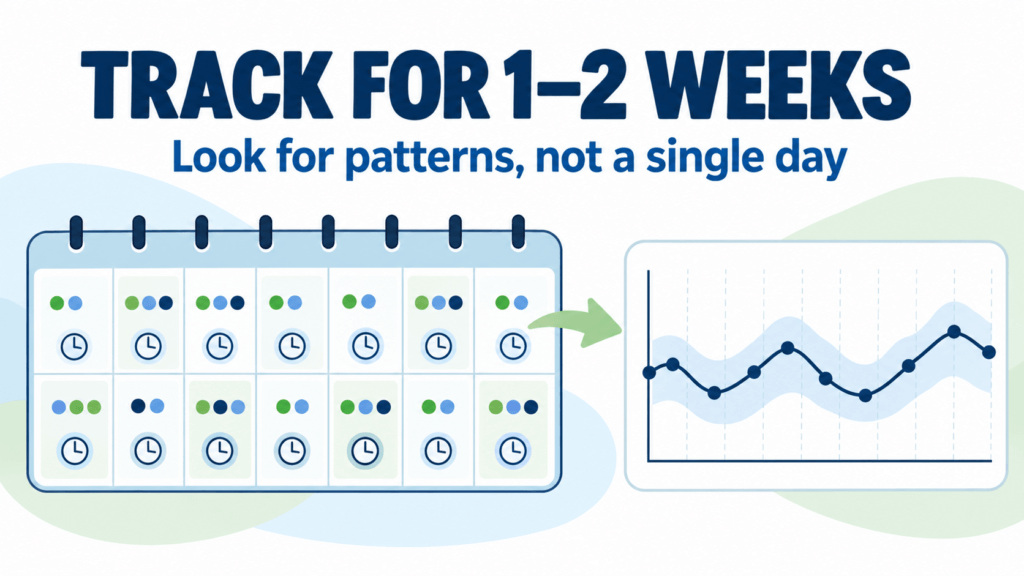
Try to complete your entries at approximately the same time each day. Record important changes when they happen rather than waiting until the end of the week, when details may be harder to remember.
Your notes should answer practical questions such as:
- What time are symptoms usually better or worse?
- Do symptoms return before the next medication dose?
- How long does each medication dose appear to work?
- Are mornings, afternoons, or evenings particularly difficult?
- Do sleep, meals, stress, or physical activity appear to affect symptoms?
- Are falls, freezing episodes, pain, or fatigue becoming more frequent?
Do not worry if you miss an entry. Continue tracking on the following day instead of trying to recreate information from memory. A mostly complete and honest record is more useful than a perfect-looking report based on uncertain details.
Key takeaway: Track consistently for at least one or two weeks when possible. Repeated patterns are usually more informative than a single good or difficult day.
Organize the report so your doctor can review it quickly
A good Parkinson’s symptom report should be clear and easy to scan. Your doctor may have limited time, so place the most important information near the beginning.
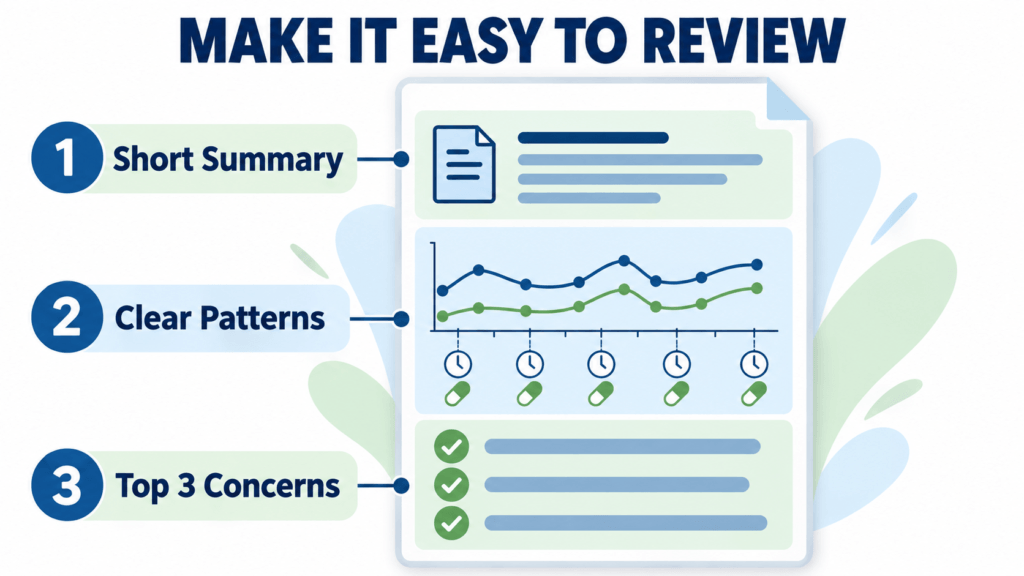
Start with a short summary that includes:
- The reporting period
- Your main concern
- Symptoms that have changed
- Important medication-response patterns
- Any falls, near-falls, side effects, or unusual events
After the summary, present your information in a simple table, chart, or daily list. Group similar information together—for example, symptom changes in one section and medication response in another. If possible, use consistent symptom ratings so that changes can be compared over time.
Avoid including many pages of unorganized notes. If you have detailed daily records, summarize the main patterns in the report and keep the full diary available in case your doctor wants to review it.
Highlight no more than three main concerns for the appointment. This keeps the discussion focused and reduces the chance that your most important question will be overlooked.
Key takeaway: Put the most important findings first, summarize repeated patterns, and highlight up to three main concerns for your doctor.
What a doctor-ready symptom report should show
A doctor-ready report should turn daily records into a short summary that is easy to understand. It should help your doctor see what has changed without having to read every diary entry.
Ideally, the report should include:
- A brief overview: The reporting period, current medications, and your main concerns.
- Symptom trends: Changes in movement, balance, tremor, stiffness, pain, fatigue, sleep, mood, or other tracked symptoms.
- Medication response: When medication was taken, when benefits began, and when symptoms returned.
- ON and OFF patterns: The times of day when movement and daily activities were easier or more difficult.
- Important events: Falls, freezing episodes, side effects, missed doses, or sudden changes.
- Effect on daily life: Difficulties with walking, dressing, eating, sleeping, working, or other activities.
- Appointment questions: A short list of the issues you most want to discuss.
Charts can be helpful when they make a pattern easier to see, but they should remain simple. A report filled with too many scores, colours, or complicated graphs may be difficult to review during a short appointment.
Key takeaway: A doctor-ready report should provide a clear overview of symptom trends, medication response, important events, and your main appointment questions.
Create a report with Parkinson’s daily diary
You can prepare a symptom report using a notebook, spreadsheet, printable tracker, or digital diary. The best method is the one you can use consistently.
The free Parkinson’s Daily Diary app is designed to make this process easier. It allows you to record daily symptoms, medication response, ON and OFF periods, and personal notes in a short check-in. Your entries are then organized into charts and a doctor-ready PDF report.
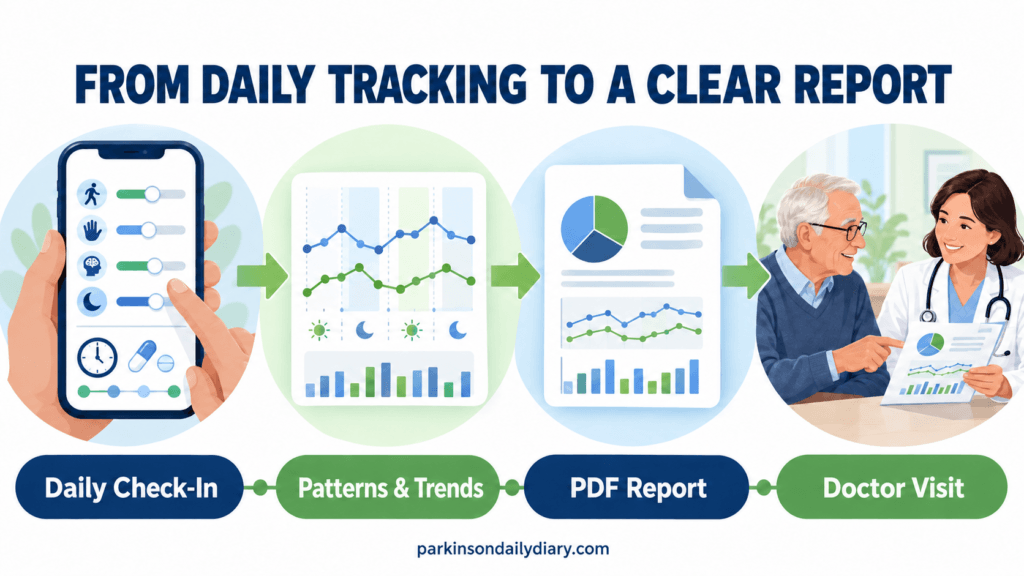
Before an appointment, you can select the relevant reporting period, generate the PDF, and review it for anything you want to explain. You can print the report, save it on your phone, or share it with your doctor when appropriate.
The report is intended to help you describe your experiences more clearly. It does not interpret your symptoms, diagnose a condition, or recommend medication changes. Always discuss treatment decisions with your qualified healthcare professional.
Create your free Parkinson’s symptom report
Key takeaway: Parkinson’s Daily Diary can turn your daily entries into an organized PDF report, helping you bring clearer information to your next appointment.
Review the report before your appointment
Set aside a few minutes to review your report before the appointment. Check that medication names and timings are accurate, and mark the patterns or changes you most want your doctor to notice.

Prepare two or three priority questions, such as:
- Could these changes be related to medication timing?
- What should I monitor before my next appointment?
- Which symptoms require earlier contact with the healthcare team?
Bring a printed copy or keep the report available on your phone. If a caregiver regularly observes your symptoms, ask whether they have noticed any changes worth mentioning.
During the appointment, use the report as a guide rather than trying to discuss every recorded detail. Make a note of any instructions, follow-up actions, or new symptoms your doctor asks you to monitor.
Key takeaway: Review the report beforehand, choose your most important questions, and use the information to support a focused conversation with your doctor.
A clear Parkinson’s symptom report can make your appointment more focused and productive. By tracking meaningful changes, identifying repeated patterns, and preparing your main questions, you can help your doctor understand what happens between visits. Keep the report simple, accurate, and focused on the concerns that affect your daily life most.
This article is for general educational purposes and does not provide medical advice. Always discuss symptoms, medication concerns, and treatment decisions with a qualified healthcare professional.