

Parkinson’s symptoms can change from one day—or even one part of the day—to another. When you track Parkinson’s symptoms regularly, you create a clearer record of what happens between appointments instead of trying to remember everything weeks or months later.

A Parkinson’s appointment captures only a brief moment in your daily life. It may not reflect the stiffness you experienced last week, the balance difficulty that appeared in the evening, or the days when your medication was missed or only partially taken. By the time your next appointment arrives, those important details can be difficult to remember.
Learning how to track Parkinson’s symptoms between appointments can help you preserve a clearer record of these day-to-day changes. Rather than relying entirely on memory, you can bring specific observations and questions to your healthcare professional. The Parkinson’s Daily Diary App makes this easier by providing one place to record symptoms, medication status, and important notes through a short daily check-in.
Why can Parkinson’s symptoms be difficult to remember?
Parkinson’s symptoms do not always remain the same throughout the day. Tremor, stiffness, slowness, fatigue, pain, or balance difficulties may become more noticeable at certain times and less noticeable at others. Medication timing, sleep, stress, activity, and many other factors may also influence how someone feels.
These fluctuations can make it difficult to give an accurate summary during an appointment. You may clearly remember a particularly difficult day but forget several better days — or remember that something changed without recalling exactly when it began.
Appointments may also take place weeks or months apart. During that time, small but potentially useful details can easily be lost. Saying, “My symptoms have been worse recently,” communicates a concern, but it may be difficult for your healthcare professional to understand what changed, how often it occurred, or how severe it felt.
A simple daily record can preserve those observations while they are still fresh, helping you describe your experience more clearly at your next appointment.
What can daily symptom tracking show?
A daily record can turn a general impression into more specific observations. For example, instead of remembering only that your stiffness felt worse, you may be able to see that it was more noticeable on several mornings or that balance difficulties were reported repeatedly during a particular week.
Tracking may help you:
- Remember when a new symptom or change first appeared
- Compare better days with more difficult days
- Notice symptoms that occur repeatedly
- Record whether medication was taken, missed, or partially taken
- Preserve questions that you want to raise at your next appointment
- Give your healthcare professional a more organized account of your daily experience
These records may support a more focused conversation, but they cannot explain why a symptom occurred. A pattern appearing beside a medication entry, activity, or other event does not necessarily mean that one caused the other.
The aim is not to diagnose changes yourself. It is to collect useful observations that you and your healthcare professional can review together.
What should you track between appointments?
You do not need to record every movement or sensation throughout the day. Focus on a few details that can help you remember how you felt and what happened.
Your main symptoms
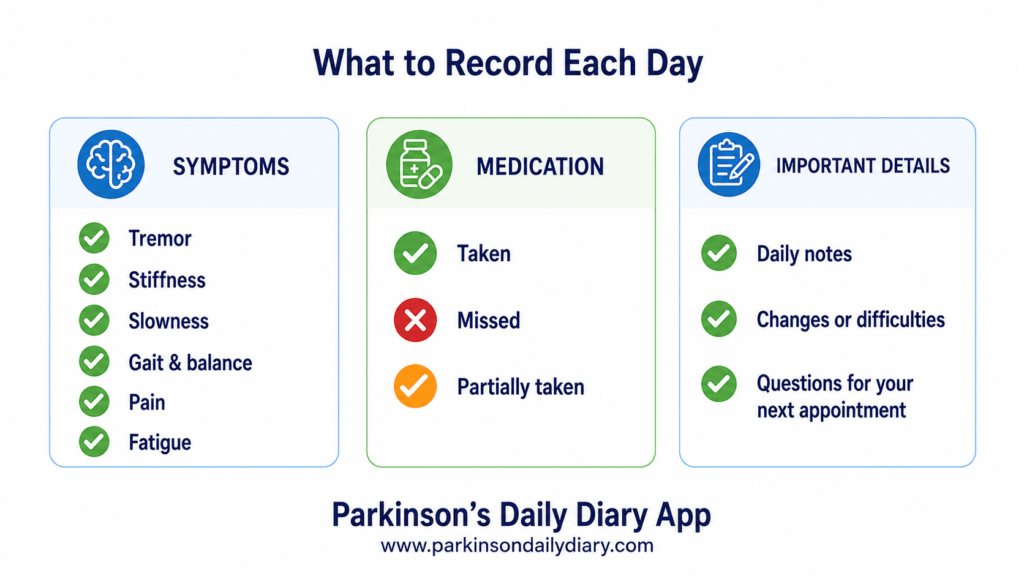
Record the symptoms that affect you most. The Parkinson’s Daily Diary App allows you to track:
- Tremor
- Stiffness
- Slowness of movement
- Gait and balance difficulties
- Pain
- Fatigue
Recording symptom severity consistently can make it easier to compare one day with another. The rating represents your personal experience — it is not a clinical assessment or diagnosis.
Medication status
Note whether your medication was:
- Taken
- Missed
- Partially taken
This creates a simple record without requiring you to reconstruct several weeks of medication history before an appointment. Never change your medication dose or schedule based only on diary entries; discuss any concerns with your prescribing healthcare professional.
Important daily observations
Use the notes section when something stands out. This might include a new difficulty, an unusual change, a fall or near-fall, or a symptom that interfered with a particular activity. A short, specific note is often more helpful than a long description.
Questions for your next appointment
Questions can easily be forgotten once an appointment begins. Save them when they occur so that you can review them before your visit.
The goal is not to produce a perfect medical record. A brief and consistent daily entry is usually more manageable—and potentially more useful—than trying to document everything.
A simpler way to track Parkinson’s symptoms each day
Tracking Parkinson’s symptoms does not need to involve a complicated spreadsheet or a long handwritten journal. The Parkinson’s Daily Diary App brings the most important information together in one place and is designed to make daily recording straightforward.
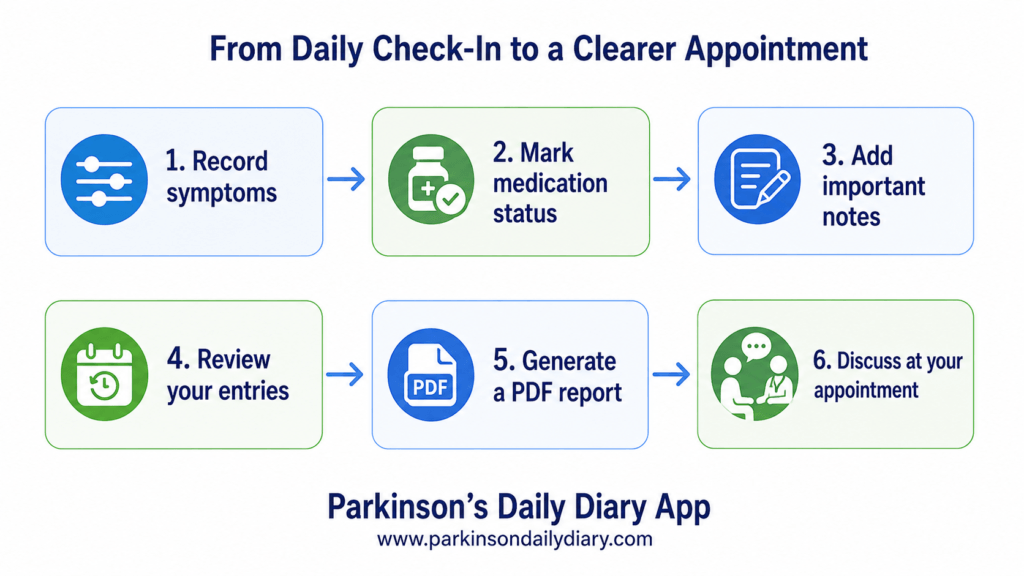
You can use the app on a mobile phone or laptop. After signing in, follow a few simple steps:
- Rate your symptoms: Record the severity of tremor, stiffness, slowness, gait and balance difficulties, pain, and fatigue.
- Record your medication status: Mark your medication as taken, missed, or partially taken.
- Add an optional note: Write down anything unusual or important that you may want to remember.
- Save appointment notes: Record questions or concerns as they arise instead of trying to remember them immediately before your visit.
- Review your history: Look back at previous entries to obtain a clearer view of what you recorded between appointments.
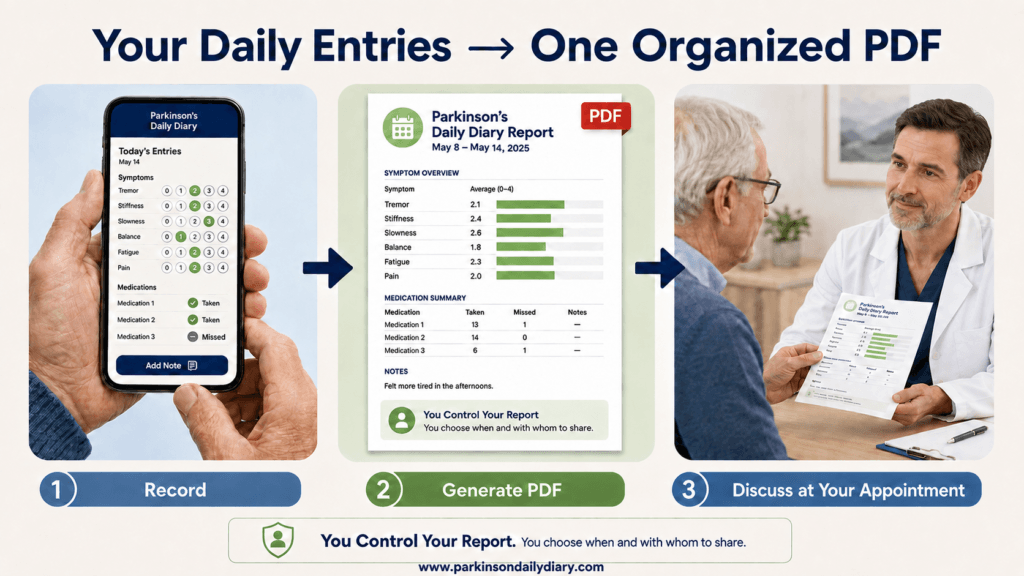
- Generate a PDF report: Create an organized summary that you can review or choose to share with your healthcare professional.
The app is intended to support your memory and help organize your own observations. It does not interpret your entries, identify the cause of a symptom, or recommend changes to your treatment. Any concerns shown in your diary should be discussed with a qualified healthcare professional.
An example of how symptom tracking may help
Imagine that you arrive at an appointment knowing that your stiffness has felt worse recently, but you cannot remember exactly when the change began. When you review your diary, you notice that you recorded more severe stiffness on several mornings during the previous two weeks. You also find a note explaining that getting dressed took longer on one of those days.
Your medication records show that a dose was marked as missed on another difficult morning. This does not prove that missing the medication caused the increased stiffness. However, it gives you specific information to discuss with your healthcare professional rather than relying on a general impression.
You can use the PDF report to organize these entries before the appointment. This may help you explain what changed, when you noticed it, and how it affected your daily activities. Your healthcare professional can then consider these observations alongside your medical history and clinical assessment.
How to make daily tracking manageable?
A symptom diary is most useful when it fits comfortably into your routine. It should not become another demanding task or make you feel that every symptom requires constant attention.
Try these simple approaches:
- Choose a regular time: Completing your entry at approximately the same time each day can make tracking easier to remember.
- Keep entries brief: Rate your symptoms and add a note only when there is something important to record.
- Focus on consistency: An imperfect but regular record can be more useful than a highly detailed diary that is difficult to maintain.
- Record what matters to you: Pay particular attention to symptoms or daily difficulties that you want to discuss at your next appointment.
- Use reminders if helpful: A simple reminder can prompt you to complete your check-in.
- Do not worry about missed days: Resume tracking when you can rather than abandoning the diary completely.
The aim is to create a helpful overview—not a minute-by-minute account of your day. If tracking causes anxiety or makes you focus excessively on symptoms, reduce how often or how much you record and discuss your concerns with a healthcare professional.
When should you not wait for your next appointment?
The Parkinson’s Daily Diary App helps you record information, but it does not monitor entries for medical emergencies or alert a healthcare professional when symptoms change.
Contact your healthcare professional sooner if you experience a new, rapidly worsening, severe, or otherwise concerning change. This may also be appropriate when symptoms begin interfering substantially with walking, eating, swallowing, medication use, or other essential daily activities.
Do not wait for a routine appointment simply because you have recorded the problem in the app. Your entries are stored for your own tracking and are not automatically reviewed by a doctor, neurologist, clinic, or emergency service.
If you believe that you or someone else may be experiencing a medical emergency, contact your local emergency services immediately.
Continue using the diary to preserve relevant details when it is safe to do so, but always seek timely professional advice when a change requires medical attention. The app supports communication and organization; it does not replace clinical care.
Build a clearer record before your next appointment
Trying to remember several weeks or months of changing symptoms can be difficult. A short daily record helps preserve important details while they are still fresh, giving you something more specific to review before your next appointment.
With the Parkinson’s Daily Diary App, you can track Parkinson’s symptoms, record whether medication was taken, missed, or partially taken, save important notes, and prepare questions for your healthcare professional. You can also generate a PDF report that organizes your recorded information in one place.
You do not need to document every part of your day. A brief and consistent check-in can gradually build a clearer picture of what happened between appointments.
Use the diary as a personal record and discuss any concerns or treatment decisions with a qualified healthcare professional.
The app can be used on a mobile phone or laptop.
Important medical disclaimer
Parkinson’s Daily Diary is a personal tracking and organizational tool. It does not provide medical advice, diagnosis, treatment recommendations, emergency monitoring, or automatic review by a healthcare professional.
Information recorded in the app should be discussed with a qualified healthcare professional. Do not start, stop, or change any medication or treatment based solely on diary entries or information provided through the app.
Always seek professional medical advice about new, worsening, severe, or concerning symptoms. In a medical emergency, contact your local emergency services immediately.